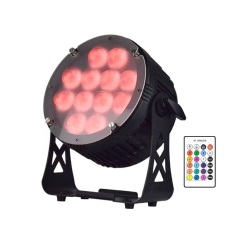
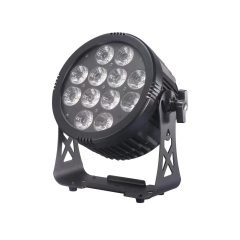
Product Overview
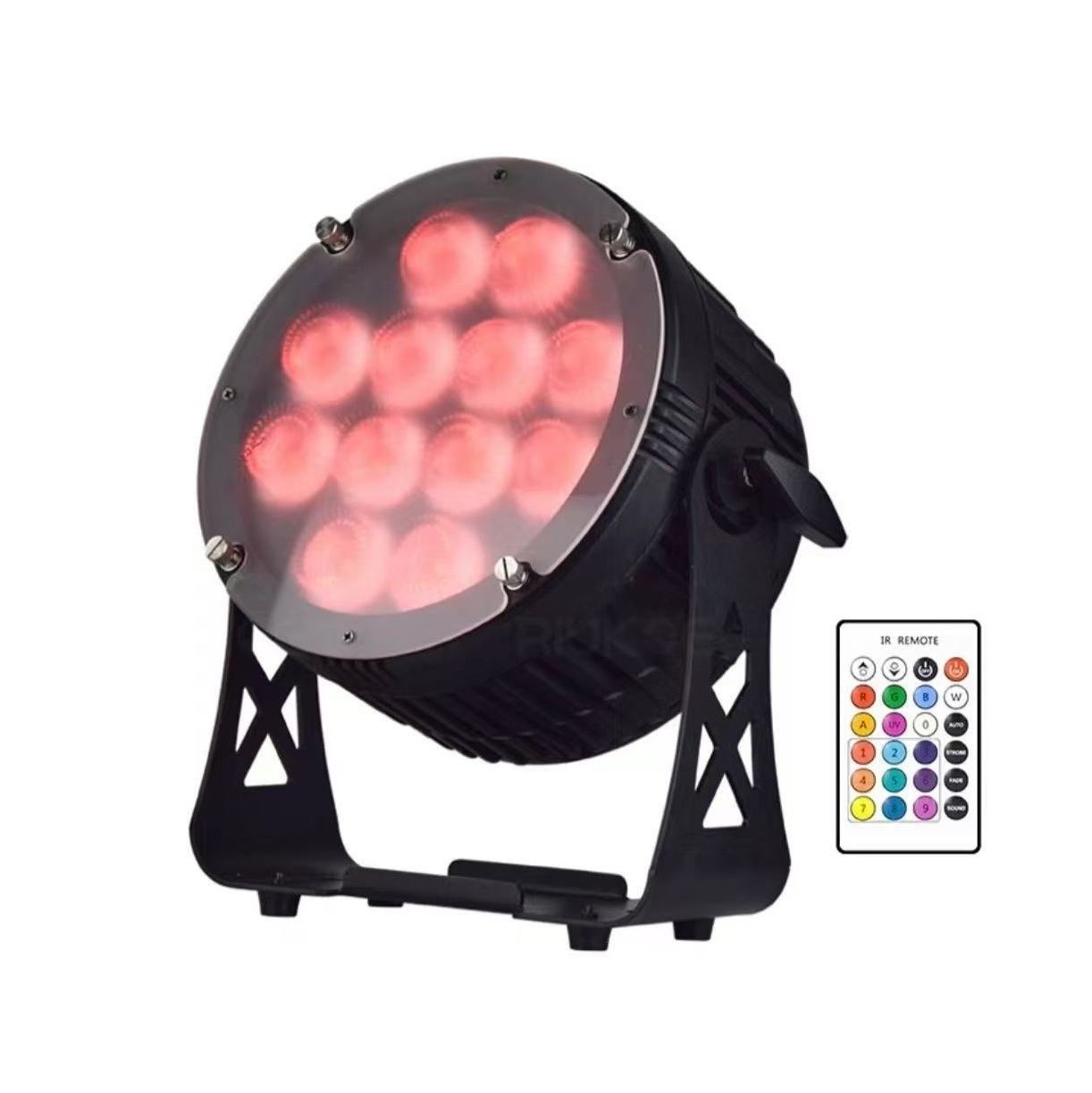
Twelve 18 W six-in-one RGBWA UV emitters provide red, green, blue, white, amber and UV channels for scenic accents, columns and event backdrops. A 15° beam and 27° spot create a defined center with a wider surrounding spread, while adjustable color temperature from 2700 K to 10000 K provides direct white-light control. The 13200 mAh battery delivers 3.5 hours of full-power operation, with selectable battery-use time settings of 2, 4, 6 or 8 hours. Control options include six touch buttons and an OLED display, DMX512 with 2, 6, 8 or 11 channels, 2.4G wireless DMX512, Wi-Fi mobile-app control for Apple and Android devices, and an included IR remote.
Optics & Color
A 15° beam and 27° spot give this led par light a defined center with a wider surrounding spread. These angles describe different parts of the output, rather than selectable zoom positions. On scenery, columns or event backdrops, aiming and distance determine how that spread falls across the surface.
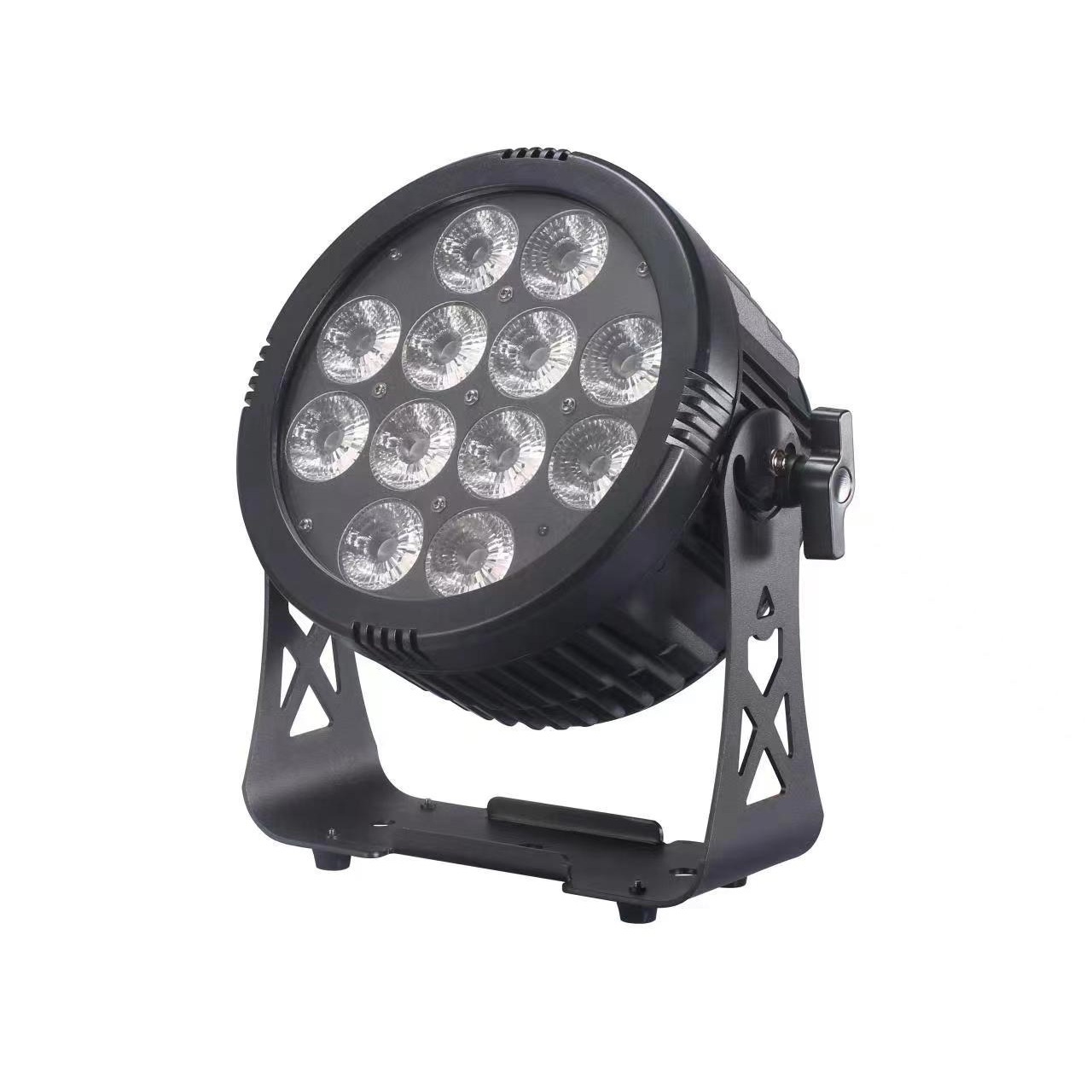
Twelve 18 W, six-in-one RGBWA UV emitters combine red, green, blue, white, amber and UV channels. Use this led wash light for colored scenic accents and mixed-color looks; the white and amber channels add options beyond RGB mixing alone.
For wall spot light applications, check the result on the actual surface. Dark paint, textured finishes and pale fabric reflect light differently, so emitter ratings alone cannot establish the illuminated area or the number of fixtures needed.
A stage light effect can look very different when the beam strikes a surface at an angle rather than straight on. Test the intended throw and aiming position before repeating the arrangement across a backdrop, particularly where adjoining pools of light need to meet.
The circular array uses clear, faceted lenses. LED lifespan is 50000 hours, based on data provided by the light source supplier; this figure concerns the light source, not the operating life of every fixture component.
Battery Operating Figures
| Battery capacity | 13200 mAh |
| Charge/discharge cycle figure | 500 cycles |
| Charging time | 6.5 hours |
| Full-power operating time | 3.5 hours |
| Automatic operating time | Self-cruising: 8 hours |
| R operating time | 22 hours |
| G operating time | 17 hours |
| B operating time | 17 hours |
| W operating time | 18 hours |
| Y operating time | 19 hours |
| P operating time | 18 hours |
| Selectable battery-use time settings | 2, 4, 6 or 8 hours |
Control And Program
- Six touch buttons and an OLED display provide local access to settings, so routine adjustments do not require a phone or console.
- DMX512 control offers four personalities: 2, 6, 8 and 11 channels. Match the selected personality on the fixture and dmx light controller before programming; channel count alone does not identify the function assigned to each address.
- A 2.4G wireless DMX512 connection provides a wireless control route for the effect light. Transmitter protocol, pairing and reception need checking with the equipment used at the venue; a shared radio frequency does not establish interoperability.
- Wi-Fi mobile-app control supports Apple and Android devices. Check the app version and connection procedure with the phone or tablet intended for operation.
- An included IR remote gives direct access to the led par light without navigating the local menu. Its labeled buttons include RGBWA UV selections, AUTO, STROBE and FADE; keep a clear path between the handset and the receiver during use.
- A CCT shortcut provides adjustable color temperature from 2700 K to 10000 K. This gives the led wash light a direct white-light adjustment alongside its color controls.
- Dimming is designed to avoid visible jitter. For filmed work, test fades at the camera's intended frame rate and shutter settings rather than treating smooth visual dimming as a camera-performance guarantee.
- Program updates can use a DMX signal cable or a wireless connection. Use the correct firmware and update procedure for the unit, and check that fixtures intended to operate together use matching channel definitions.
Electrical & Physical Specifications
| AC input voltage | AC 110–240 V |
| AC input frequency | 50/60 Hz |
| Rated power | 80 W |
| Self-adaptive power supply | 12.6 V / 3 A |
| Power input connector | Seetronic power connector |
| Wired signal input/output | 3-core XLR sockets |
| Fixture dimensions | 27.5 × 21.5 × 23.5 cm |
| Fixture net weight | 5.3 kg |
| Carton packing quantity | 4 fixtures per carton |
| Carton dimensions | 55 × 55 × 31 cm |
| Packed carton gross weight | 25.5 kg |
Mounting & Commissioning
- Horizontal, vertical and upside-down installation are supported. Select an arrangement that leaves room for aiming, connections and access to the controls, with the fixture clear of walkways and moving scenery.
- The bottom incorporates a quick-lock attachment hole and feet. For suspended use, have a qualified installer select compatible hardware and verify the load capacity of the complete mounting arrangement.
- A dedicated safety-rope connection hole allows independent secondary retention. Attach the safety rope to that point and a suitable structural anchor; do not use a signal cable or power lead as a restraint.
- The adjustable bracket and side knobs allow manual aiming. For wall spot light applications, set the angle with the fixture securely supported, then tighten the adjustments so the head cannot drift during operation.
- Power and data leads need separate routing that avoids strain at the connectors. Use the correct mating power connector and DMX-rated signal cable, and check the manufacturer's wiring instructions before energizing the unit.
- Use your dmx light controller to run the intended stage light effect through its complete cue sequence before the event. Check addressing, response, aiming and clearance from normal audience and operator positions rather than relying on a static setup check.
Optional Accessories
- A flightcase is available as an optional accessory for keeping fixtures together during handling between jobs. Select an interior arrangement that supports the units without pressing against lenses, controls or connectors.
- The optional quick-lock component provides a removable mounting connection for the led par light. Check that the component matches the bottom attachment before incorporating it into a rig.
- An atomizing plate, or diffusion plate, softens the effect light's projected spread. Check its effect on edge definition and useful intensity on the actual scenery rather than assuming that diffusion preserves the original beam characteristics.
- A light-blocking board helps limit unwanted spill from the led wash light. Use it where nearby sightlines or adjacent scenery need shielding, without obstructing ventilation or the movement needed for aiming.
- A lamp hook provides an optional attachment for compatible supporting structures. Its fit and load rating need to suit the intended installation; the hook does not replace independent secondary retention.
Environment & Care
- IP65 protection applies to the fixture, but does not establish immersion, marine or unrestricted permanent-outdoor suitability. Check the complete installation, including exposed connections and any external power equipment, for the actual weather exposure.
- Operation requires an ambient temperature between 0 °C and 45 °C. Avoid positions where direct sun or nearby equipment can raise local temperature beyond that range.
- The maximum surface temperature is 65 °C. Keep the unit away from casual contact while operating and allow it to cool before handling or cleaning.
- The ribbed black housing needs unobstructed space around it. Keep fabric, decorative covers and accumulated debris away from the body rather than enclosing the fixture to hide it from view.
- Before cleaning the effect light, isolate external power and switch the unit off. Use gentle cleaning methods appropriate for optical surfaces, avoiding abrasive tools, solvent exposure and pressure washing.
- Between uses, inspect the lens face, seals, connectors and adjustment hardware for damage. Stop using a unit with compromised protection or electrical components until it has been checked by a qualified technician.
Download & Technical Documents
DMX channel definitions and firmware version need to match the dmx light controller setup. Request the channel table for the selected personality, together with any fixture-library file available for the exact console or software version. Protocol support alone does not establish that a ready-made personality exists.
The specification sheet and operating manual should cover the exact fixture configuration, charging procedure, electrical connections and mounting instructions. Request the applicable revisions before preparing installation drawings or operating instructions for a venue.
For wall spot light layouts, request photometric measurements or a photometric file for the supplied optics. Beam-angle figures do not provide illuminance at a working distance, and a diffusion accessory changes the result that needs to be checked.
A programmed stage light effect may also need a matching visualization personality. Check available console and visualization files against the fixture's actual channel assignments before building cues around them.
Market-specific approval requires model-specific documentation. Request the applicable standards, test reports and compliance documents for the destination market; do not substitute a general product-range certificate for the exact fixture.
Document and file availability needs checking for the required revision. Use the operating instructions for any maintenance task that goes beyond routine external cleaning.
Warranty & Service
- Maintenance and technical support are available from LITEVISION. For help with this model, provide the fixture identification, operating settings and a clear description of the fault so our team can discuss the appropriate next steps.
- Request the written warranty duration and coverage before ordering. The light-source lifespan is not a warranty term and should not be used to infer coverage for the complete fixture.
- Battery coverage needs separate attention. Ask how battery faults and capacity loss are treated, and whether the battery, charging equipment, LEDs, electronics and supplied accessories have different coverage or exclusions.
- Agree on service arrangements for your location, including whether a fault will be handled through troubleshooting, parts replacement or return for repair. Establish responsibility for labor, shipping and any related charges before proceeding.
- For a quality concern, record the fixture identification, when the issue appeared and the conditions in which it occurs. Photographs or a short video of the fault, together with any visible transit damage, can help us understand the problem without unnecessary handling.
- Returns, exchanges and quality-claim deadlines should be agreed in writing for the order. Ask about the notification period, required supporting information, return authorization and available remedies before shipping a unit back.
Duration Settings & Output
- A longer duration setting is not a guarantee of full output for that entire period. Choose the setting around both the event length and the brightness your lighting design requires, rather than duration alone.
- Before relying on a longer setting, ask us how it controls output: whether it limits initial brightness, changes brightness during operation or uses another power-management approach. Do not assume identical output across the available settings.
- Compare duration settings using the same color mix, dimmer command, fixture position and starting charge. Changing these conditions makes it difficult to tell whether a difference comes from the duration setting or the lighting cue itself.
- Check useful brightness throughout a rehearsal, not just immediately after switching on. For a backdrop or scenic accent, compare the illuminated surface at the beginning, during operation and near the required finish time; a fixture remaining lit does not necessarily mean the look remains equally bright.
- Include setup, rehearsals and any interval lighting in your battery plan. If consistent brightness is essential through the final cue, establish the usable operating period with your actual program and allow a reserve rather than scheduling to the selected duration without a trial.
Technical Support & Model Matching
LITEVISION brings together more than 30 engineers who have worked in the industry for an average of 15+ years. Share your purchasing requirements and the models you are considering to discuss the available options with our team. We provide product maintenance and technical support, with customer service staff available to answer your questions and help address issues. Whether you are comparing options before ordering or need assistance after purchase, contact us with your technical questions and maintenance concerns.
FAQ
What do the selectable 2/4/6/8-hour settings mean?
The duration setting lets you select fully lit 2, 4, 6 or 8-hour operation for the intended use. These selections are separate from the operating figures above and do not establish unchanged brightness across every setting. Check the output behavior of the selected duration with your intended color mix before scheduling an event around it.
Are the 15° and 27° angles selectable beam settings?
The 15° beam and 27° spot describe different parts of the light output, rather than selectable zoom positions. They create a defined center with a wider surrounding spread. Aiming, distance and surface finish affect the result on scenery, columns and backdrops. Test the intended throw and mounting position on the actual surface before deciding how many fixtures the installation needs.
How long does the battery last at full power, and how long does charging take?
The 13200 mAh battery provides 3.5 hours of full-power operation, and charging takes 6.5 hours. The listed automatic self-cruising operating time is 8 hours. Separate operating figures are also provided for individual channels, so those longer figures should be read alongside the full-power rating when assessing suitability for an event. The listed charge/discharge cycle figure is 500 cycles.
Will the wireless DMX work with my existing 2.4G transmitter?
The fixture supports 2.4G wireless DMX512, but a shared radio frequency does not establish interoperability with your transmitter. Check the transmitter protocol, pairing procedure and reception with the equipment intended for the venue. DMX512 control offers 2, 6, 8 and 11-channel personalities; match the selected personality on the fixture and controller, since channel count alone does not identify each address function.
Can I operate the fixture without a lighting console?
Six touch buttons and an OLED display provide local access to settings, and an IR remote is included. The remote has labeled RGBWA UV selections plus AUTO, STROBE and FADE buttons; keep a clear path between the handset and receiver during use. Wi-Fi mobile-app control also supports Apple and Android devices. Check the app version and connection procedure with your intended phone or tablet.
Can I connect a controller with a 5-pin DMX output?
A controller with a 5-pin DMX output can connect through a correctly wired DMX adapter cable; the connector difference alone does not require a different controller. Choose an adapter with mating ends that fit the controller output and the fixture’s wired input, checking connector gender before ordering. Use a DMX-rated adapter rather than an audio adapter, since a physically compatible connector does not establish suitability for lighting data. Check the adapter’s pin assignment against the equipment manuals, including signal polarity and ground connections. An adapter changes the physical connection, not the control protocol, so the controller must still provide a compatible DMX signal. Test the complete cable path before an event, and support the adapter and cable so their weight does not pull against the fixture socket.