Product Overview
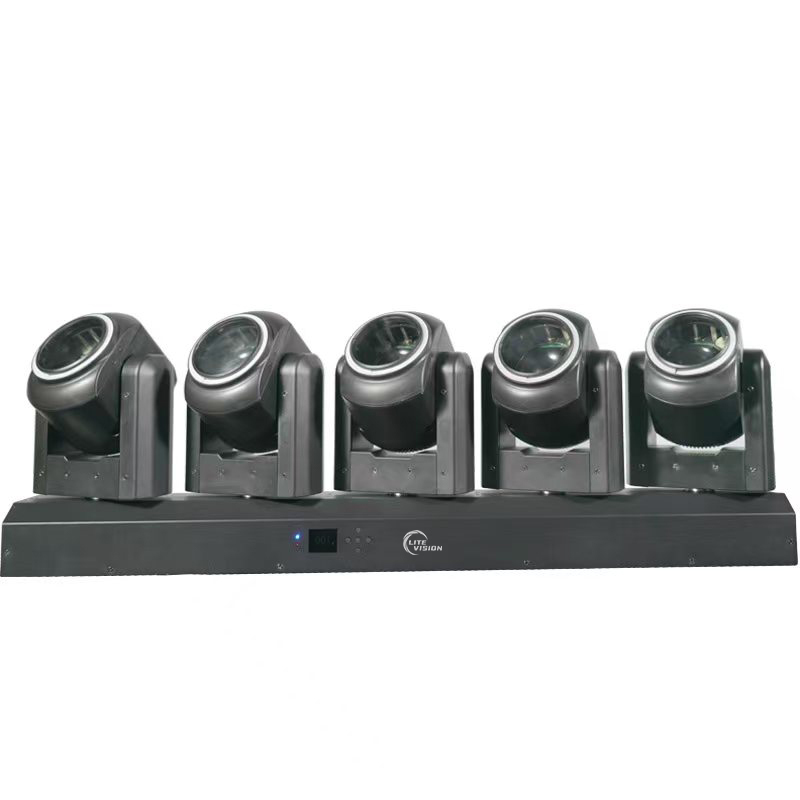
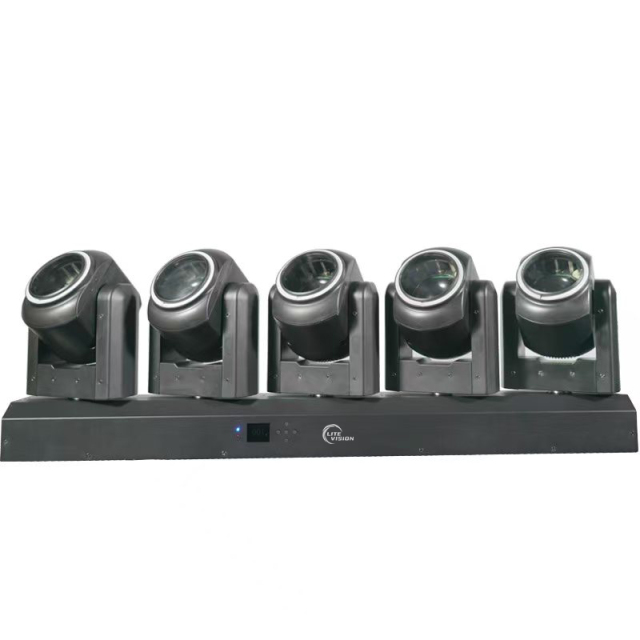
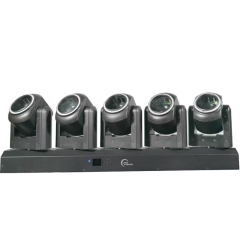
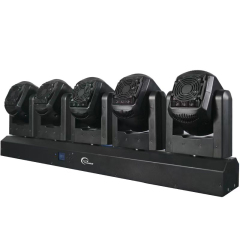
A rail-mounted row of moving heads gives lighting designers a continuous visual element to build into a rig. Tornado 5M combines that format with a single integrated base, giving stage lighting suppliers a practical led stage lighting bar to consider for venue layouts, rental show designs and installed entertainment systems. Plan it as an effects element within the wider lighting design, with space for head movement and access for technicians. Its distinctive linear arrangement can become part of the stage picture as well as the source of the light.
Specifications
| Property | Value |
|---|
| LED configuration | 5 × 60W modules |
| Fixture power | 420W |
| Zoom range | 3.5°–45° |
| Zoom adjustment | Linear |
| DMX mode | 28 channels |
| DMX mode | 85 channels |
Head And Ring Effects
- Individual head control gives stage lighting effects a structured rhythm across the bar.
- Build a cue around differences between heads, then compare it with a unified look to judge how clearly the sequence reads from the audience area.
- Integrated RGB rings add a visible color element around the main optics.
- Ask stage lighting suppliers for a front-facing demonstration so the ring appearance can be assessed separately from the projected light; use the channel table to establish the available ring functions.
- Narrow zoom settings concentrate the projected look, while wider settings spread it across a larger area.
- For this moving head stage light, review the transition at the intended working distance rather than judging zoom behavior from a close-up alone.
- concert stage lighting cues can use changes in apparent beam width to move between a tighter accent and a broader visual texture.
- Test those transitions with the surrounding rig so the effect remains distinct within the full scene.
- The repeated head arrangement gives designers a basis for symmetrical and deliberately uneven compositions.
- During a demonstration with your stage lighting equipment supplier, watch the beginning, middle and end of a movement cue, including transitions between positions rather than only the finished look.
Console Integration
dmx lighting control requires a console patch that matches the selected operating mode. Allocate the appropriate address space before building cues, and use the actual channel table from your stage lighting equipment supplier to identify parameter order, value ranges and any special-function channels. A larger channel count alone does not establish which additional functions become available.
Fixture profiles from stage lighting suppliers need to match the exact fixture and its software revision. Check the profile against the channel table before relying on labels such as color, movement or zoom, and test parameter behavior at the console rather than assuming a similarly named profile will work.
For professional stage lighting rigs containing several units, record the operating mode and firmware revision alongside the patch. Keep those records with the show file so a replacement unit or a later software change can be checked against the original programming.
Before committing a complete cue stack, test parameter response, transitions and output at the limits used in the show. Where visualization software is part of the workflow, compare its behavior with the physical fixture; a working virtual representation does not by itself establish identical movement or optical behavior.
Installation And Care
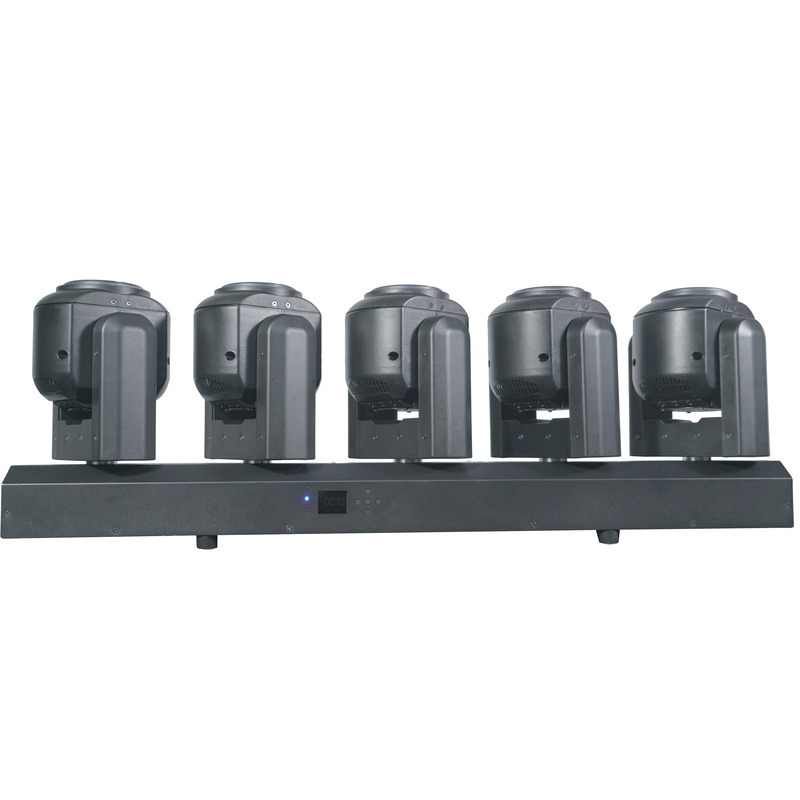
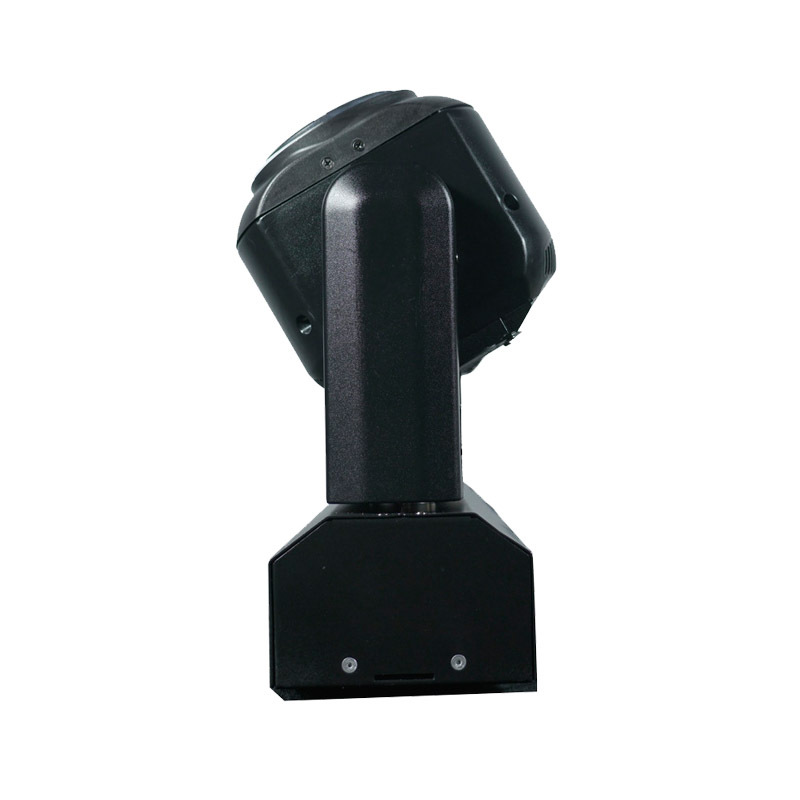
- For the led stage lighting bar, obtain the dimensional and mounting drawing from your stage lighting equipment supplier before preparing the installation. Check the complete movement envelope, fixture weight, permitted orientation and mounting interfaces against the proposed location; the rail's visible length alone is not enough to establish clearance or loading.
- Have a qualified installer select load-rated supports, clamps and secondary retention appropriate to the fixture and the venue.
- Use only the attachment points and installation methods identified in the model-specific instructions, and keep moving heads clear of adjacent fixtures, scenery and cables.
- Read the electrical label and wiring instructions before connecting power.
- Match the supply, protective earth and distribution arrangement to those instructions, and have an electrician establish circuit loading and any permitted power-linking arrangement rather than estimating it from the LED configuration.
- Route dmx lighting control cabling clear of moving parts and avoid strain at connectors.
- Use suitable DMX cable and the signal topology, termination and distribution practices required by the connected equipment; connector appearance alone does not establish pin assignment.
- During professional stage lighting commissioning, inspect cable clearance and test the programmed movement through its intended travel.
- Keep personnel clear while the heads move, then check that the fixture responds correctly throughout the show cues before the installation enters service.
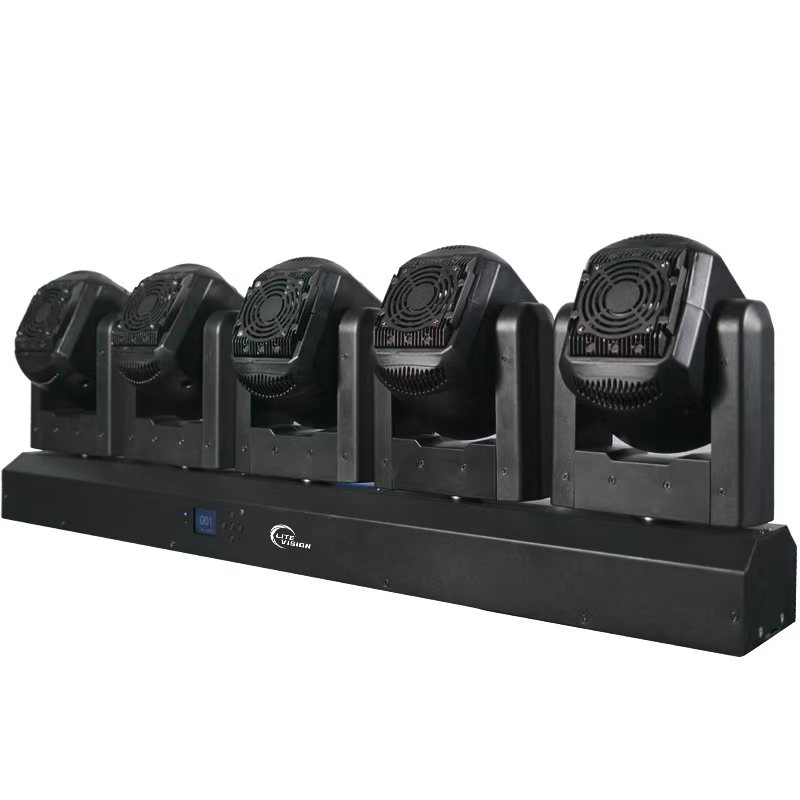
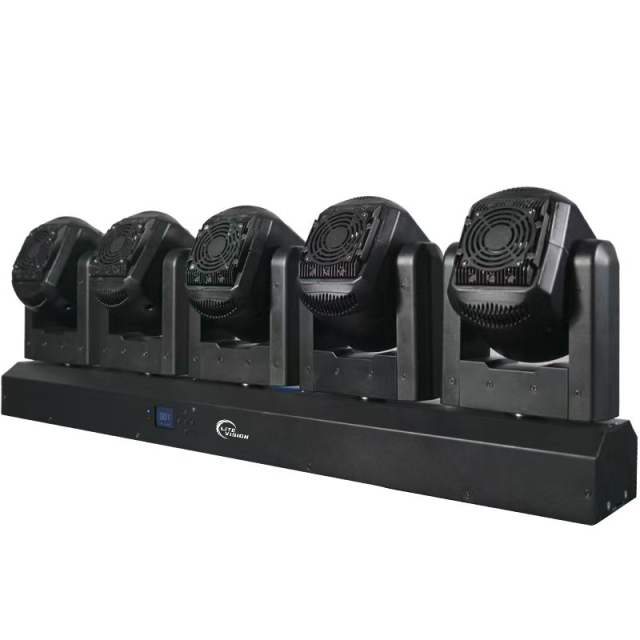
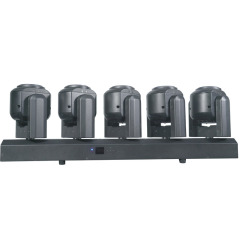
- Rear ventilation grilles need unobstructed airflow and practical cleaning access. Isolate power before inspection or cleaning, follow the manual's cooling and cleaning instructions, and leave internal repairs and component replacement to qualified personnel using the correct service information.
Applications And Pairings
- Rental productions can use a moving head stage light in this linear format as a visible scenic element within a changing stage layout.
- Consider audience sightlines and the appearance of the bar itself when planning positions, especially where the fixture remains visible between cues.
- Venue installations can place an led stage lighting bar within an entertainment rig that already provides the room's essential illumination. Pair it with dedicated front lighting where performers need clear facial visibility, allowing the effects fixture to concentrate on the visual composition.
- concert stage lighting designs can combine the bar with separate spot or profile fixtures for focused performer accents.
- Give each fixture type a distinct task in the cue stack so decorative movement and performer illumination remain independently manageable.
- professional stage lighting in theaters and school performance spaces often includes quiet spoken passages.
- Assess the operating sound in the actual room before specifying the fixture for an acoustically sensitive position, particularly near performers or microphones.
- Recorded productions using stage lighting effects need a camera test with the intended frame rates, shutter settings and cue levels. For any location exposed to rain, moisture or dust, establish the model's environmental limits before use; placement under a roof alone does not establish adequate protection.
Downloads And Technical Files
- For the five-head fixture, request the current specification sheet as the basis of the technical file set.
- Check that the document identifies the exact model and revision, and use it to resolve any installation-critical details before completing the design.
- Follow with the operating manual for menu functions, permitted installation methods, electrical connections and service precautions.
- Keep the relevant revision accessible to the technicians who will install and operate the unit rather than relying on a general series brochure.
- Add the DMX channel table and any available console or visualization profile to the same file set.
- For dmx lighting control, compare document revisions before importing a profile, and retain the matching files with the project records.
- For concert stage lighting calculations, request measured photometric data and any available photometric files for the intended optical settings.
- Review the measurement conditions and distances before using the results in a design; source wattage cannot substitute for measured illuminance or distribution.
- Before technical approval, identify the destination market and request the applicable model-specific compliance documents.
- Confirm the product identity, document scope and relevant requirements with the responsible local specialist; a certificate for another fixture does not establish compliance for this one.
Warranty And Service
- Maintenance and technical support are available for product questions and technical issues.
- For a Tornado 5M purchase, ask us to document the warranty duration and when coverage begins so you can plan service responsibilities for your venue, rental fleet or resale customers.
- Warranty scope should be agreed in writing before ordering.
- Request the covered components, exclusions and any conditions affecting coverage, including installation, operation and repairs carried out by third parties.
- Service costs need a clear allocation.
- Ask which parts, labor, diagnostic work and transport charges are covered, and which costs remain with the buyer when a repair falls outside the agreed warranty.
- For a suspected defect, record the unit’s model and serial number, describe the operating conditions and provide photos or video showing the fault.
- Include any displayed error message and the steps that reproduce the problem to help us discuss the next service step.
- Before arranging a repair shipment, contact us for the applicable service procedure.
- Agree on the assessment process, shipment destination, packing requirements and responsibility for freight and customs charges before dispatch.
- Return, exchange and quality-claim terms require a separate written agreement.
- Ask for the reporting deadline, required supporting information, acceptance conditions and available remedies before placing the order, especially when supplying fixtures onward to another customer.
Technical Support & Model Matching
LITEVISION’s technical support is backed by more than 30 qualified engineers with an average of 15+ years in the field. Share your purchasing requirements and the models you are considering to discuss suitable options across our full range. Our customer service team answers product questions and helps address technical issues, while our after-sales services include product maintenance and ongoing technical support.
FAQ
Does the moving head stage light support RDM?
RDM support is included, allowing compatible control equipment to communicate with the fixture as well as send lighting commands. Discovery, remote addressing and status reporting depend on the functions implemented in the unit; check the operating documentation for the supported commands. During commissioning, use discovery to check whether each connected fixture can be identified, especially where access becomes difficult after installation. If remote addressing is supported, read the address back after changing it to verify that the intended unit received the setting. For troubleshooting, establish which status messages are available before depending on them for maintenance decisions. The signal path also matters: any splitters or other distribution devices between the controller and fixture must support the required bidirectional RDM communication.
Do the heads and rings use the same color sources?
The heads include a dedicated white emitter, while the rings have no separate white emitter. That distinction matters when a design calls for white light: a mixture of colored emitters can look different from a dedicated white source, even when both appear broadly neutral. Compare the two elements against a neutral surface to judge any visible tint rather than relying on the names of console presets. For scenes involving performers, also assess how faces and costume colors appear under the intended lighting combination. Camera productions should make that comparison using the planned camera settings and white balance, since an acceptable visual match may render differently on screen. If a project requires a particular white tone or color-rendering performance, request the relevant measurements before specifying the fixture; emitter labels alone do not establish those results.
Can I use it for stage lighting effects and sharply framed projections?
The documented functions cover multi-head color effects and variable beam width. For sharply bounded shapes or projected imagery, use a fixture with the required framing or projection optics rather than treating an effects bar as a substitute.
Can I use Tornado 5H settings for Tornado 5M?
Tornado 5H settings should not be transferred to Tornado 5M solely because the models share a series name. For setup at the fixture, check menu labels and available options before following a procedure written for the other model; an identical-looking value may serve a different purpose. Before copying movement limits or position offsets, establish how the receiving model defines those settings and test with clear space around the fixture. Treat reset and calibration procedures as specific to the model, and follow its service instructions before changing factory adjustments. When replacing one model with the other in a rig, separately check dimensions, mounting requirements and electrical connections rather than treating saved settings as proof of physical compatibility. Accessories and replacement parts also need an explicit compatibility check against their part references before use.