Product Overview
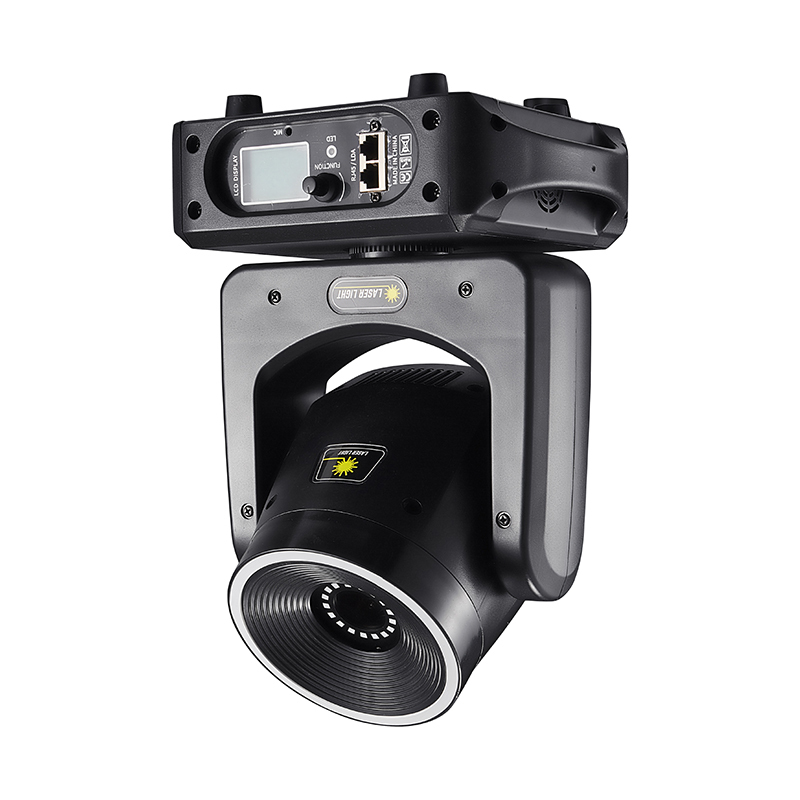
For programmed effects in large bars and nightclubs, the RGB Moving Head Laser With LED Ring combines full-colour laser lines with an integrated LED ring that adds a visible accent around the front of the head. Its DT20 high-speed galvanometer scanning system supports laser artwork, while 540-degree X-axis and 270-degree Y-axis movement position the head for programmed sequences. Available effects include three-dimensional lines, computer animation and text, starry-sky patterns and Milky Way nebula effects, with their appearance dependent on content and viewing conditions. Designed for indoor use, the fixture offers DMX512 operation in 30-channel and 47-channel modes, master-slave operation and software-controlled graphics, with sound and light synchronization managed through laser software.
Laser & Ring Effects
- Full-colour laser lines give this moving head laser light a sharply drawn visual style for programmed entertainment effects. Line patterns can become the main visual element within a cue rather than simply adding general illumination.
- Three-dimensional line effects add apparent depth to the scanned artwork. Their appearance depends on the programmed content, viewing angle and surrounding conditions.
- An integrated LED ring adds a luminous aperture effect around the front of the head. It provides a visible accent at the fixture itself alongside the projected laser content.
- Computer animation and text extend the laser light projector beyond abstract patterns. Lettering and animated artwork need content prepared for laser reproduction, with legibility checked at the intended viewing distance.
- Starry-sky effects offer scattered points of light for quieter passages in a laser light show. Their visual character differs from the continuous shapes used for more graphic sequences.
- Milky Way nebula effects give the rgb laser light another atmospheric treatment. These patterns offer an alternative to lettering and defined line artwork when the scene calls for a less structured image.
Technical Specifications
| Property | Value |
|---|
| Product designation | Pr5W |
| Laser source | Semiconductor pumped laser |
| Laser wavelengths | 525nm&638nm&450nm |
| Laser modulation | TTL or analog modulation |
| Scanning system | DT20 high-speed galvanometer scanning system |
| X-axis movement | 540 degrees |
| Y-axis movement | 270 degrees |
| Rated voltage and frequency | AC100V~230V 50~60Hz ± 10% |
| Usage environment | Indoor |
| Working temperature | -20 °C~45 °C |
Control & Software
DMX512 operation offers 30-channel and 47-channel modes for console-controlled playback. When patching this dmx moving head light, match the selected mode to the fixture personality before assigning addresses; a larger channel footprint does not by itself establish which additional functions are available.
Master-slave operation provides linked effects between fixtures. Use matching units and check their operating settings before relying on the group to reproduce the same sequence; compatibility with different models is not established by a shared control protocol.
Computer software controls the animation and graphics used in a moving head light show. The software environment, interface and fixture settings need to work together, so a console connection alone should not be assumed to provide the same graphics workflow.
Sound and light synchronization is controlled through laser software. A music-led laser light show therefore needs the appropriate software setup and timing arrangement; this function does not establish a separate standalone sound-activated mode.
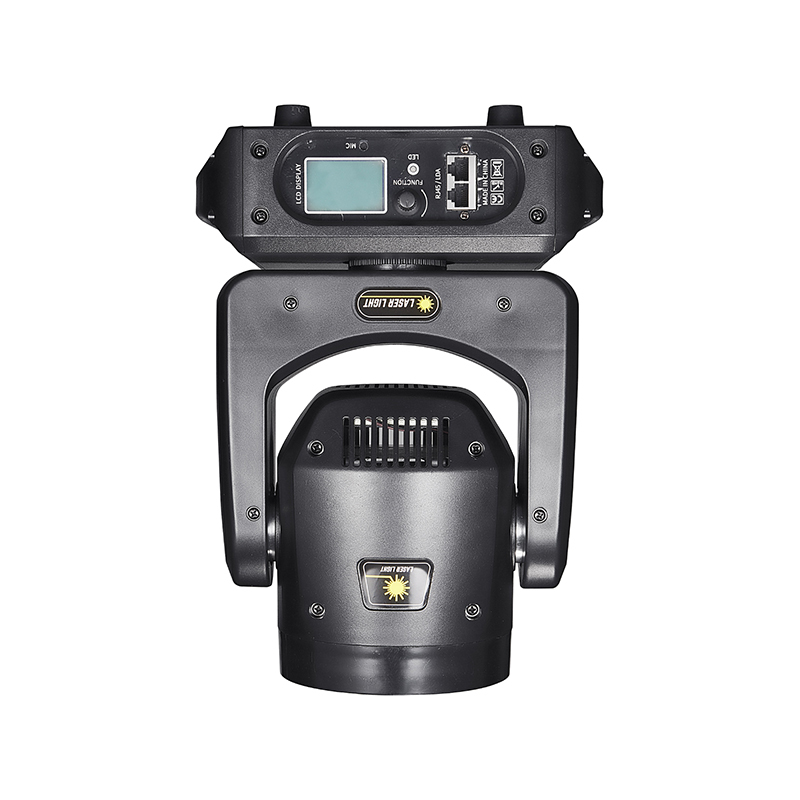
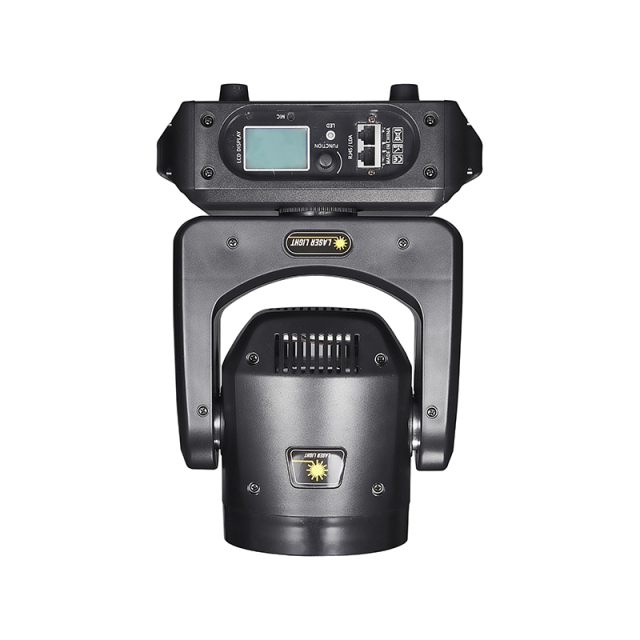
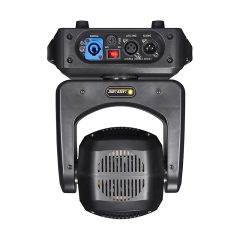
A rear connection carries the label RJ45 ILDA. For this laser light projector, confirm the actual signal format, pin assignment and required interface with your moving head laser light supplier before connecting external equipment. An RJ45 connector shape alone does not establish Ethernet networking.
Saved programming for an rgb laser light should be checked against the operating mode and firmware of the actual unit. Before reusing a show file, test cue recall, movement direction and the response to loss and restoration of the control signal.
Applications & Lighting Combinations
- Large bars and nightclubs can use a moving head laser light for dedicated effect moments within a programmed set. Allow the laser cues their own visual space so surrounding illumination does not overwhelm the artwork.
- Live performances can incorporate an rgb laser light into musical transitions, entrances or staged sequences. Rehearsal should establish when the effect appears and how it relates to performers, scenery and the rest of the lighting.
- Dedicated light shows can build a moving head light show around coordinated fixtures and carefully timed content. Consistent placement and cue timing help the installation read as a composed scene rather than unrelated effects.
- Water-curtain laser shows are a potential application for the projected content, subject to specialist assessment of the projection surface and equipment location. The fixture must remain in a dry indoor operating position, away from spray and condensation.
- Scenic-area laser lighting requires a similarly protected indoor equipment location and a site-specific projection plan. The laser light projector has an approximate stated range of 40 metres; ambient light, projection material and atmospheric conditions affect the visible result, and that distance is not a safe-viewing limit.
- Complementary fixtures can handle tasks outside the laser light show: PAR lighting for colour coverage, COB lighting for people or scenery, and blinder fixtures for separate audience-facing effects. Each fixture still needs its own electrical, control and installation checks.
Installation & Connections
- Review the mounting arrangement for the moving head laser light before lifting it into place. Obtain the unit's dimensions, weight, approved attachment points and permitted mounting orientations from your moving head laser light manufacturer so a qualified installer can assess the support structure and retention method.
- Establish a clear operating envelope around the pivoting head and support yoke. Keep cables, nearby fixtures and structural members outside the movement path, and leave access to the integrated control base.
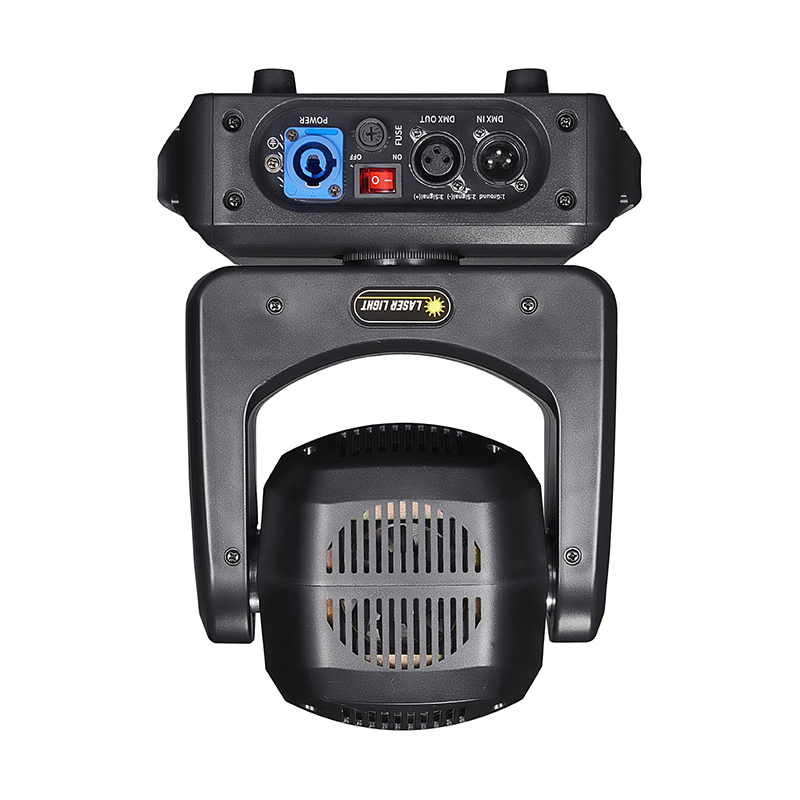
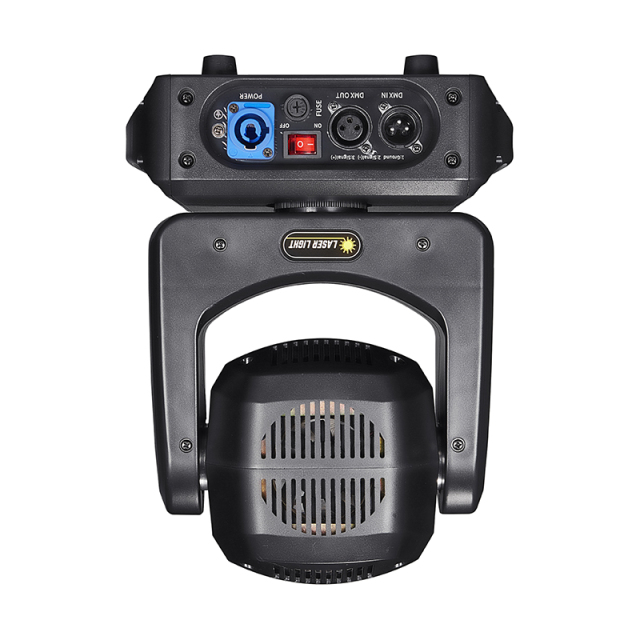
- Match the electrical feed to the rating plate before connecting the rear power inlet. Check the required connector, protective earth and circuit capacity from the unit's electrical documentation; optical output must not be used as a substitute for electrical consumption.
- Route control cabling to the rear DMX input and output sockets without placing strain on the connectors. A dmx moving head light needs the correct signal cable and a properly arranged data chain, with termination applied as required by the control system.
- Use the integrated display to review operating settings, then check the rear rocker switch and access to the labelled fuse position. The installation should leave these service points accessible without requiring the fixture to be handled while energized.
- Commission the installation with a qualified laser operator before normal playback. Check aiming, movement limits and cue behaviour under controlled conditions, keeping people out of the beam paths during setup.
Downloads & Technical Documents
Laser-output documentation should identify the exact total optical power and the individual red, green and blue ratings for the unit being specified. Verify these values before final technical approval; the product designation alone does not establish them.
A model-specific specification sheet should distinguish optical output from electrical consumption and identify the hardware configuration. When discussing this unit with LITEVISION as your moving head laser light manufacturer, use the same configuration details throughout the technical records.
The operating manual should cover the fixture's controls, permitted installation arrangements, connection diagrams and service restrictions. Request the current document and check that its illustrations and connection details match the actual equipment.
A version-matched channel table is essential for programming the dmx moving head light. Request the table and any available console personality together, with their applicable firmware identified, rather than assuming that similarly named profiles behave identically.
Measured projection records are more useful for this effect than an unsupported brightness comparison. For a planned moving head light show, ask about available photometric files, laser-output measurements and demonstrations recorded with the distance, ambient conditions and projection surface identified; availability needs to be checked for this model.
Target-market documentation should address the applicable electrical, environmental and laser requirements for the exact configuration. Request the relevant reports, laser classification and details of protective functions for review by the responsible installer or operator. LITEVISION, your moving head laser light supplier, can discuss the documents needed; specific files and approvals must be checked rather than assumed.
Maintenance & Care
- Disconnect the power supply and allow the fixture to cool before cleaning or inspection. Internal electrical and optical work belongs with qualified service personnel following the operating manual.
- Inspect the circular front aperture for dust or residue that could affect the projected image. Use only the cleaning method and materials approved for the optical surface, avoiding pressure, abrasive cloths or unapproved solvents.
- Keep the vented head and rear housing clear of dust buildup. Inspect more closely after use in smoky or dusty venues, and keep cleaning tools away from internal moving parts.
- Examine the yoke, accessible fasteners and cable entry points during routine equipment checks. Movement that becomes rough, obstructed or unusually noisy needs investigation before the fixture returns to operation.
- Record symptoms precisely when a fault occurs, including the operating mode, displayed messages and whether it affects movement, graphics or control response. Preserve the current settings before making changes, and use the specified fuse type and approved replacement parts rather than bypassing protective components.
Technical Support & Model Matching
LITEVISION brings together more than 30 engineers who have worked in the industry for an average of 15+ years. Share your purchasing requirements and the models you are considering to discuss the available options with our team. We provide product maintenance and technical support, with customer service staff available to answer your questions and help address issues. Whether you are comparing options before ordering or need assistance after purchase, contact us with your technical questions and maintenance concerns.
The Pr5W has a specified total laser power of 5W, with individual colour ratings of red light 1.2W, green light 1W and blue light 3W.
FAQ
Which DMX modes are available, and how is music synchronization controlled?
The fixture supports DMX512 operation in 30-channel and 47-channel modes, while sound and light synchronization is managed through laser software. Match the selected channel mode to the fixture personality before assigning addresses. A console connection alone should not be assumed to provide the software graphics workflow, and software-managed synchronization does not establish a separate standalone sound-activated mode.
Can the rear RJ45 ILDA connection be connected directly to an Ethernet network?
The rear connection is labelled RJ45 ILDA, but its connector shape alone does not establish Ethernet networking. Before connecting external equipment, confirm the actual signal format, pin assignment and required interface with the supplier. The software environment, interface and fixture settings need to work together for computer-controlled animation and graphics; the label alone does not establish compatibility with your existing equipment.
Can this fixture display custom text and animation as well as atmospheric patterns?
The fixture supports computer animation and text alongside three-dimensional lines, starry-sky patterns and Milky Way nebula effects. Text and animated artwork need content prepared for laser reproduction, with lettering checked for legibility at the intended viewing distance. The appearance of three-dimensional line effects depends on programmed content, viewing angle and surrounding conditions. The integrated LED ring adds a visible accent around the front of the head.
What power supply and operating conditions does this fixture require?
The fixture is designed for indoor use, with a listed working temperature range of -20 °C to 45 °C. Its rated supply is AC100V–230V at 50–60Hz, with ±10% stated in the specification. These are the stated electrical and environmental parameters to check against the intended installation; the product description positions the fixture for programmed effects in large bars and nightclubs.