Product Overview
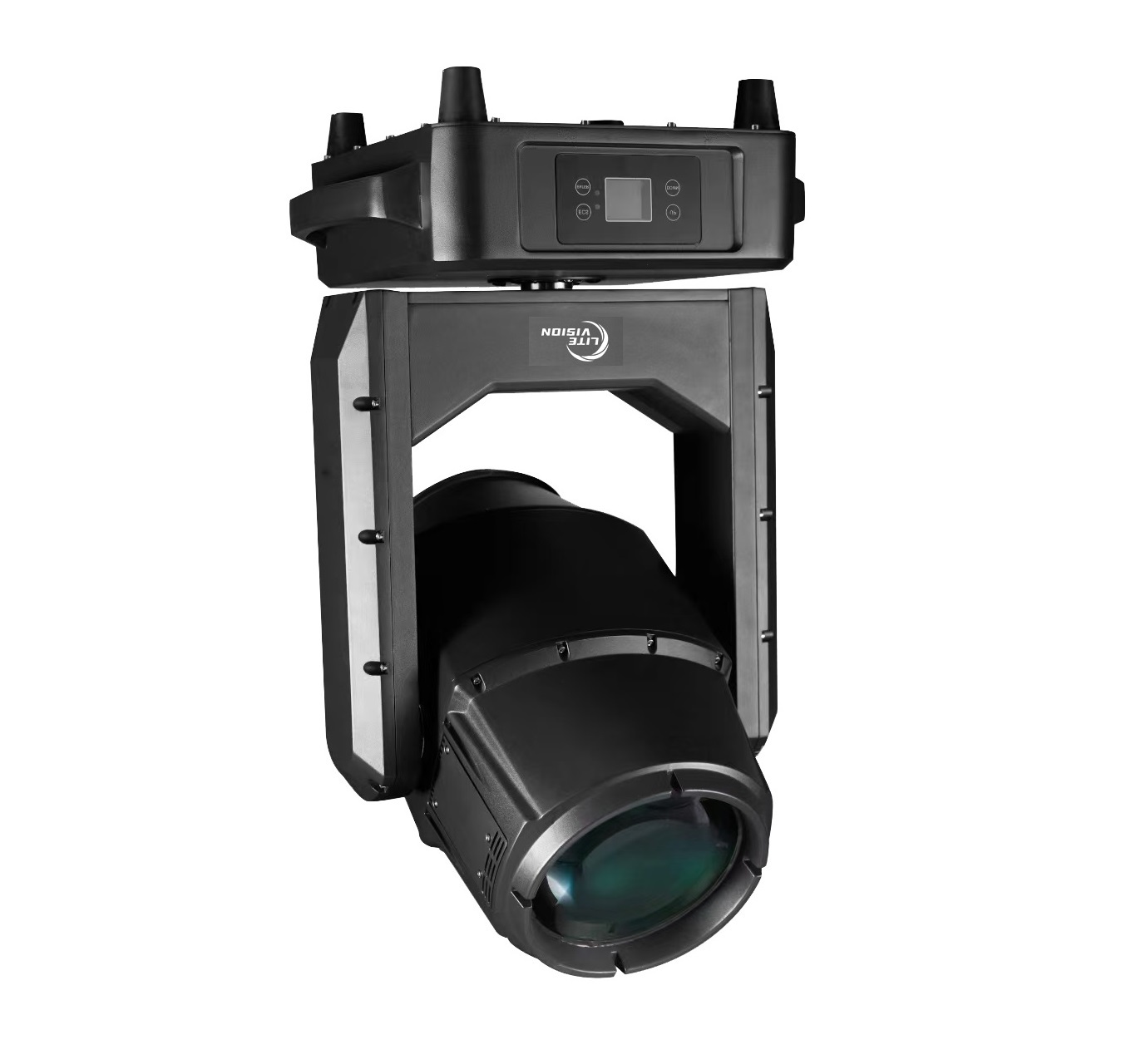
Powered by a Philips MSD Silver 420 lamp, the Archi B600II Waterproof Outdoor 420W Moving Head Light combines a 180 mm front lens with a 0–2° beam for tightly defined aerial accents and directional effects. Electronic focus adjusts beam definition as projection distances change, while frost provides a softer effect when required. A color disk with 14 colors plus white, a seven-color rainbow wheel, 13 fixed gobos plus white, and 8-facet and 16-facet prisms with combined operation support varied beam effects. DMX512 and RDM control, 16CH/20CH modes, 540° pan and 270° tilt with fine adjustment, and 0%–100% linear dimming give operators control over movement, intensity and programmed looks.
Lamp & Optical System
Philips MSD Silver 420 powers this moving head stage light, giving lighting designers a lamp-based option for dedicated beam effects. Its light-source system differs from the laser-module designs used elsewhere in the Archi range.
A 180 mm front lens works with the 0-2° beam specification to create tightly defined shafts of light. An outdoor moving head light with this narrow optical configuration suits aerial accents and directional effects rather than broad surface coverage.
Electronic focusing lets the operator adjust definition from the control system as the projection distance changes. For a gobo moving head light, that adjustment helps bring a pattern into focus at the intended surface.
Frost introduces a softer light effect when a less sharply defined look is needed. A waterproof moving head light can therefore contribute a softened accent within a beam-focused design, without requiring every cue to retain a hard edge.
Color temperature: 7900±500K. Include the lamp's cool-white appearance when planning its relationship with warmer scenic and decorative lighting.
Usable intensity depends on the projection distance and the optical effects in the light path. Compare measured output under matching conditions; the lamp designation alone does not establish brightness at a particular surface.
Color & Beam Effects
- A color disk provides 14 colors plus white for programmed color changes and clear white-light cues. Build the palette around these wheel positions when preparing show looks.
- A seven-color rainbow wheel adds multicolor effects alongside the main color disk, providing another visual texture for transitions and energetic sequences.
- A fixed wheel carries 13 gobos plus white, giving this gobo moving head light a defined set of pattern effects. Plan artwork around the fixed patterns rather than assuming interchangeable rotating images.
- Two prisms provide 8-facet and 16-facet effects, with 8+16 superposition for a layered moving head light show. Use either prism individually or combine them when the cue calls for a denser multiplied-beam look.
- Dual motors provide independent stroboscopic effects at an adjustable 0.5-20 times/SEC. Match the flash rate to the intended rhythmic accent and the venue's operating requirements.
- The 0%-100% linear dimming curve provides smooth, flicker-free visual fades, allowing intensity changes to sit alongside color and movement cues.
Movement & Control
| Property | Value |
|---|
| Control type | dmx moving head light |
| Protocols | DMX512, RDM |
| Channel modes | 16CH/20CH |
| Independent operation | Automatic programs; master-slave automatic operation |
| Pan travel | 540° |
| Tilt travel | 270° |
| Movement resolution | 8/16-bit pan and tilt, with fine adjustment on both axes |
| Pan and tilt motors | High-precision three-phase motors; stable fast and slow movement |
| Position correction | Automatic role correction |
| Display | LCD with 180° rotation for different installation positions |
| Local buttons | ENTER, ESC, UP, DOWN |
Installation & Wiring
- Have a qualified installer assess the supporting structure, fixture load and complete rigging assembly before lifting the unit. Include clamps, cables and other attached equipment in the load assessment.
- Resolve the dimensional units against a dimensioned drawing before marking mounting positions or preparing a confined installation. Allow clearance for the head and yoke throughout the programmed movement area, with cables kept outside that area.
- Obtain the approved mounting arrangement from the moving head beam light manufacturer before selecting brackets, clamps and secondary retention. Use the designated attachment points and follow the fixture-specific instructions; do not assume that hardware from another Archi model fits.
- Obtain the exact power connector, data connector and pin assignments from your beam moving head light supplier before wiring. A qualified electrician should provide protective earthing and suitable circuit protection, with power and signal cables routed to avoid strain or crushing.
- Check the permitted mounting orientation and ambient operating limits for the intended outdoor location. Keep connector seals, covers and unused openings correctly closed, and avoid installation positions that allow standing water to collect around connections.
- Commission the dmx moving head light with the head unobstructed and the area around the fixture clear. Run the intended movement cues slowly first, then check the full programmed sequence for cable clearance and safe separation from nearby equipment.
Electrical & Build Specifications
| Property | Value |
|---|
| Fixture category | outdoor moving head light |
| Protection category | waterproof moving head light |
| Rated fixture power | 600W |
| Supply voltage and frequency | AC90V-235V 50-60Hz |
| Waterproof rating | IP65 |
| Housing | All die-cast aluminum |
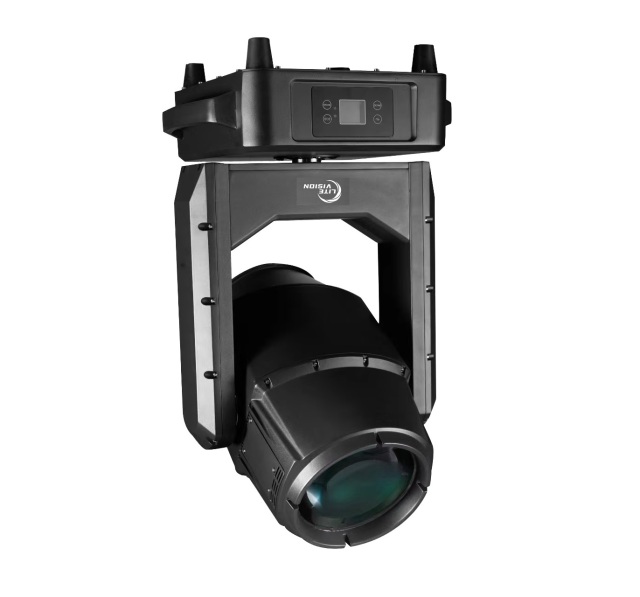
| Appearance | Black housing with a large circular front lens and yoke-mounted head |
| Net weight | 25 kg |
| Light size, units unverified | 705*375*300 cm |
Stage & Outdoor Applications
- Concert stages can use this moving head stage light for overhead aerial accents around musical entrances, transitions and finales. Arrange the effect layer separately from the fixtures responsible for illuminating performers.
- Festival grounds can place an outdoor moving head light within a coordinated stage or scenic layout, directing effects toward the intended viewing area. Plan the installation around audience sightlines and the site's permitted beam directions.
- Theme-park productions can incorporate a moving head light show into timed scenic sequences, using lighting cues to mark reveals and changes between scenes. Coordinate the effect playback with the rest of the production's control plan.
- Nightclubs and entertainment venues can use a gobo moving head light to add patterned accents behind performers or across suitable scenic surfaces. Prepare repeatable looks for the venue's regular operating team rather than relying on improvised adjustments during opening hours.
- Theater and themed-stage designs can pair this model with an Archi MT4020 for a separate RGBW wash layer. Keep each fixture's console personality and cue programming distinct so broad color coverage and directional effects can be adjusted independently.
Downloads
Console programming for a dmx moving head light needs a channel chart matched to the fixture's firmware. Request the current channel definitions before building effects, including the function ranges used by the selected personality.
The operating manual from the moving head beam light manufacturer should cover startup, shutdown, lamp handling and fault indications. Use the model-specific manual when preparing operating instructions for technicians and venue staff.
A specification sheet and dimensioned installation drawing support the electrical schedule and mounting plan. Include the attachment-point details and connection drawing in the technical document request.
Console libraries need to match both the fixture configuration and the control software in use. Check the proposed profile against the actual unit before saving a production file or duplicating the patch across a larger installation.
Photometric files help calculate a moving head light show at its intended projection distances. Request the measurement conditions with the data so the design can account for the optical setup used during testing.
Destination-market safety and environmental requirements need model-specific documentation. Request the applicable standards list and supporting reports for the country where the fixture will operate, without treating a general company document as approval for this model.
File availability and revisions are confirmed individually. Request the documents needed for your installation from your beam moving head light supplier; downloadable files are not assumed to accompany every configuration.
Lamp & Fixture Care
- Shut down the fixture using the procedure in its operating manual, isolate the power and allow the lamp and housing to cool before maintenance. Internal electrical or lamp work should be handled by a qualified technician.
- Remove loose dust from accessible external surfaces before cleaning the front glass with a suitable soft cloth. Avoid abrasive materials and prevent cleaning liquid from entering the fixture or its connections.
- Inspect the moving head stage light for damaged cables, loose external attachments and worn seals during routine maintenance. Keep the unit out of operation if damage could affect electrical safety or secure mounting.
- Follow the lamp-access and replacement procedure issued by the moving head beam light manufacturer. Use the specified replacement lamp and obtain the correct service interval from the lamp and fixture instructions rather than estimating it from daily operating hours.
- Record lamp-related symptoms and the exact replacement specification when discussing service with your beam moving head light supplier. Include relevant fault indications so a technician can distinguish a lamp issue from a power or control problem.
- Dry the exterior of a waterproof moving head light before putting it into storage, and protect the front glass from contact with other equipment. Keep the fixture in a clean, dry environment between uses.
- Save the fixture settings and firmware revision in the maintenance record before approved service or software changes. Retain the corresponding console profile so the operating configuration can be restored consistently.
Warranty & Fault Support
- LITEVISION provides product maintenance and technical support. For assistance with an Archi B600II, include the fixture identification, purchase details and a clear description of the problem so our team can discuss the issue with you.
- Request written warranty terms before ordering, including the warranty period, its start date and the parts and labor covered. Include any warranty requirements from your venue or project contract in that discussion.
- Ask us how warranty coverage applies to the Philips MSD Silver 420 lamp, other consumable parts and the fixture itself. Establish which replacement costs remain your responsibility when planning maintenance budgets for a rental fleet or permanent installation.
- For damage or a fault discovered on arrival, photograph the packaging and affected fixture, retain the packing materials and record when the problem was found. Ask us for the applicable reporting period and the information required to raise a quality claim.
- For an operating fault, provide a short video showing the behavior and explain whether it affects one fixture or several under the same conditions. Include any displayed messages and the circumstances in which the fault occurs; stop operating a unit with suspected electrical or mechanical damage.
- Before returning equipment or arranging a local repair, request the applicable return, exchange or repair procedure in writing. Clarify eligibility, inspection requirements, authorization, freight charges and responsibility for repair costs before committing to shipment or service.
Technical Support & Model Matching
LITEVISION brings together more than 30 engineers who have worked in the industry for an average of 15+ years. Share your purchasing requirements and the models you are considering to discuss the available options with our team. We provide product maintenance and technical support, with customer service staff available to answer your questions and help address issues. Whether you are comparing options before ordering or need assistance after purchase, contact us with your technical questions and maintenance concerns.
FAQ
Can the fixture run beside cameras and live microphones?
Camera and live-microphone use should be assessed in a rehearsal with the actual recording setup. Record the planned lighting cues at the intended frame rate and shutter setting, then review the footage for banding, pulsing or uneven brightness, including during fades and effect changes.
Test each camera configuration separately, especially if the production includes slow-motion recording. A result that looks acceptable on the main camera may differ on another camera using different capture settings.
Check the fixture from the camera angles planned for the show. If a beam enters the lens and causes unwanted flare or obscures the subject, adjust the fixture position, aiming or shot composition with the lighting and camera teams.
For sound, listen through the production microphones at their intended positions and recording gain during a quiet passage. Check both stationary cues and movement sequences so the sound team can assess any cooling or mechanical noise picked up in the recording.
Where noise is audible, assess whether greater separation from microphones or a revised microphone position improves the result while preserving the required coverage. Keep ventilation openings clear; wrapping or enclosing the fixture to suppress sound can interfere with cooling.
For dialogue, acoustic performances or other noise-sensitive recordings, ask us about available operating modes and acoustic information before specifying the fixture. Agree on the tested camera settings, fixture placement and cue restrictions with the production team so the live recording follows the rehearsed setup.
Is the Archi B600II suitable for broad coverage or narrow beam effects?
The Archi B600II uses a 180 mm front lens and a 0–2° beam for tightly defined aerial accents and directional effects. This optical configuration suits narrow beam work rather than broad surface coverage. Electronic focus adjusts beam definition as projection distances change, while frost provides a softer effect when a less sharply defined look is required.
What color, gobo and prism effects are available?
The fixture includes 14 colors plus white, a seven-color rainbow wheel, and 13 fixed gobos plus white. Its 8-facet and 16-facet prisms can operate individually or together in 8+16 superposition for a denser multiplied-beam effect. Plan pattern requirements around the supplied fixed gobos rather than assuming interchangeable rotating images.
Can the fixture operate without a lighting console, and which control protocols does it support?
The Archi B600II supports automatic programs and master-slave automatic operation, alongside DMX512 and RDM control. For console programming, it offers 16CH and 20CH modes. Local operation uses ENTER, ESC, UP and DOWN buttons, and the LCD supports 180° rotation for different installation positions. These options cover both programmed console control and automatic operation.
What pan and tilt range and movement precision does the fixture offer?
The fixture provides 540° pan and 270° tilt, with 8/16-bit control and fine adjustment on both axes. High-precision three-phase motors support stable movement at fast and slow speeds. These movement capabilities can be programmed alongside electronic focus and 0%–100% linear dimming to coordinate beam positioning, definition and intensity within a lighting cue.